The question “where did this customer come from?” sounds simple right up until you try to answer it with numbers. A call came in — from which source, nobody knows. A form submission arrived — but whether it came from the newsletter, a Telegram post or a banner on a partner site, the report doesn’t say. In Google Analytics 4 half the traffic sits in direct / (none), and every conversation about channel performance turns into an exchange of guesses.
A UTM tag is the simplest and cheapest way to close that gap. It needs no developer, doesn’t depend on your CMS, works the same for a WordPress site and a landing page built in a website builder, and takes thirty seconds to add to a link. The price is discipline: the tags have to be consistent across the whole team, otherwise they don’t simplify the report — they break it.
Below is the full picture: what a UTM tag is, what it consists of, how to build one properly for every channel, how it reaches your GA4 reports, and which mistakes make the data unusable. You don’t have to assemble tags by hand — that’s what our UTM builder is for. It puts links together to a single set of rules and prevents the usual mistakes with capitalisation and spaces.
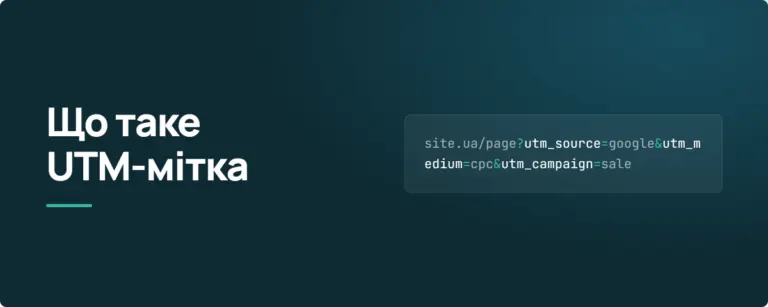
A UTM tag is a set of parameters added to the end of a link so that your analytics platform knows exactly where a visitor came from. The abbreviation stands for Urchin Tracking Module: Urchin was the analytics product Google acquired in 2005 and turned into Google Analytics. The parameter format has barely changed since and has become the de facto industry standard — it is understood by GA4, Matomo, Piwik PRO, Adobe Analytics, most CRMs and virtually every email marketing platform.
A tagged link looks like this:
https://itforce.ua/en/ppc-services/?utm_source=facebook&utm_medium=cpc&utm_campaign=ppc_autumn_2026
Broken into pieces:
| Part of the URL | What it is |
|---|---|
https://itforce.ua/en/ppc-services/ |
The page the link points to. The tag does not change it |
? |
The question mark separates the page address from the parameters. It appears once |
utm_source=facebook |
The first parameter: name, equals sign, value |
& |
The ampersand joins parameters together. It goes before every subsequent one |
utm_medium=cpc |
The second parameter |
utm_campaign=ppc_autumn_2026 |
The third parameter |
The first thing to understand: the tag changes nothing on the page. The visitor sees exactly the same content as at the clean address. The only difference is that the analytics script reads those parameters when the page loads and records them against the session.
The second: UTM tagging is manual. Nobody will add the tags for you. If a link in your newsletter isn’t tagged, that traffic lands in the report as direct or as a referral from a mail domain — and no amount of analytics will fix it after the fact.
The mechanics are simpler than they look, and worth understanding — every limitation and every mistake follows from them.
Parameters after the question mark are called GET parameters or the query string. They are a standard part of a URL that the browser passes to the server along with the page request. The server ignores most of them and returns the same page. The analytics JavaScript running in the browser, however, reads the current address, finds the parameters that start with utm_ and attaches their values to the data it sends.
In GA4 those values are attached to the session_start event — that is, they are captured at the beginning of the session, and every event for the rest of that session is attributed to the same source. Google puts it plainly: the session_start event carries the information that determines the attribution of the session — the gclid, the UTM parameters and the referrer.
Three practical consequences follow:
A note on sessions in GA4. In Universal Analytics, a change of source mid-visit forced a new session to start. GA4 removed that behaviour: a session ends after 30 minutes of inactivity, not when the campaign changes. Attribution, however, is still written at the moment the session starts — which is exactly why tags on internal site links are dangerous (see the mistakes section below).
The classic set has five parameters. The first three form the skeleton of your reporting; the last two add detail.
| Parameter | What it means | Example values | Status |
|---|---|---|---|
utm_source |
The specific platform or sender of the traffic | google, facebook, instagram, mailchimp, telegram, partner_name |
Required |
utm_medium |
The type of traffic — the channel in the broad sense | cpc, email, social, banner, referral, affiliate |
Required |
utm_campaign |
The name of a specific campaign or activity | black_friday_2026, launch_seo_landing |
Strongly recommended |
utm_term |
Keyword. Historically for paid search | ppc_agency, seo_audit |
Optional |
utm_content |
Distinguishes creatives or elements within one campaign | banner_300x250, text_link_footer, variant_a |
Optional |
The most common confusion is between source and medium. A simple rule: source answers "who exactly", medium answers "by what means". Facebook is a source. But Facebook traffic can be paid (medium=cpc) or organic from a page post (medium=social), and those are two different channels with different economics. Merge them and the report becomes useless precisely when you need it.
The second most common confusion is utm_campaign versus utm_content. A campaign is a marketing activity with its own goal and budget: a sale, a product launch, a webinar. Content covers the variants inside it: two banners, three email subject lines, the link in the header versus the one in the footer of the same email. Turn every banner into its own campaign and you lose the ability to see the activity as a whole.
In 2026, utm_term is a leftover for most channels. Google Ads pulls the keyword in automatically through auto-tagging, and social platforms have no keywords at all. The one sensible remaining use is to put an audience segment or targeting criterion there in display and paid social campaigns when the other fields aren’t enough.
Beyond the classic five, Google Analytics 4 accepts four more parameters. They are little known, but two of them are genuinely useful.
| Parameter | Purpose | Visible in GA4 reports? |
|---|---|---|
utm_id |
Campaign ID. The technical key that joins cost data imported from ad platforms to GA4 data | Yes — the "Campaign ID" dimension |
utm_source_platform |
The platform managing the placement: google_ads, meta_ads, manual |
Yes — the "Source platform" dimension |
utm_creative_format |
Creative type: display, native, video, search |
No — accepted, but not currently reported |
utm_marketing_tactic |
Targeting criterion: remarketing, prospecting |
No — accepted, but not currently reported |
The practical takeaway: add utm_id if you plan to import ad spend into GA4 — without a shared key you cannot join costs to conversions correctly. utm_source_platform earns its place in large accounts where one source is served by several platforms. The last two exist in the specification only for now: you can populate them for the future, but there is no point building reporting on them today.
Anything outside this list — utm_channel, utm_placement, utm_audience and so on — GA4 does not understand. Such parameters won’t break the page, but they won’t reach your reports either; at best you’ll find them in the "Page path + query string" dimension. To pass non-standard data, use your own event parameters via Google Tag Manager rather than UTM.
The tag is in place and the click has happened. From there the values are split across several groups of dimensions, and the confusion between them causes most of the "why don’t these numbers match" questions.
Session-scoped dimensions — Session source, Session medium, Session campaign. They show where a user came from on that particular visit. This is what people usually mean when they talk about UTM. Report: Reports → Acquisition → Traffic acquisition.
User-scoped dimensions — First user source, First user medium. They show where a person came from the very first time. Report: Reports → Acquisition → User acquisition. If a customer first found you in search and bought after clicking a newsletter, the first report shows the newsletter and the second shows organic. Both are correct; they answer different questions.
Manual tagging dimensions — Session manual source, Session manual medium, Manual campaign ID. This separate group reports the values from your UTM parameters specifically, ignoring ad platform auto-tagging. It was added to GA4 later and is a lifesaver in one situation: when a link carries both a gclid and UTM parameters, the ordinary "Session source" dimension shows the Google Ads data while the manual dimension shows what you wrote in the tag.
The quick way to confirm a tag works:
In standard reports the same data appears with a delay of up to 24–48 hours — don’t conclude "the tag doesn’t work" half an hour after launch. If you need the full parameter set in a convenient view, build a dedicated report: Explore → Free form, with Session source / medium, Session campaign, Session manual ad content and Session manual term as rows, and sessions, key events and revenue as values.
This is the most underrated part of the whole topic. GA4 doesn’t merely store your values — it uses them to assign traffic automatically to one of the default channels: Paid Search, Paid Social, Organic Social, Email, Display, Affiliates, Referral and so on. It does so by strict rules, and the leading role belongs to utm_medium.
| GA4 channel | Condition (simplified) | What to put in utm_medium |
|---|---|---|
| Paid Search | Source is a known search site and medium matches ^(.*cp.*|ppc|retargeting|paid.*)$ |
cpc, ppc, paid |
| Paid Social | Source is a known social site and the same medium pattern | cpc, paid_social |
| Organic Social | Source is a known social site or medium is in the social list | social, social-media, social-network, sm |
Source or medium equals email / e-mail / e_mail |
email |
|
| Display | Medium is one of a fixed list | display, banner, cpm, interstitial, expandable |
| Affiliates | Medium equals affiliate |
affiliate |
| Referral | Medium is referral, app or link |
referral |
| Paid Other | Medium matches the paid pattern but the source isn’t recognised | — |
Look closely at the regular expression for paid channels: .*cp.* means any value containing the letter pair "cp" counts as paid. So cpc, cpm, cpv and social-cpc all land in paid channels. A capitalised CPC, however, does not — GA4 is case-sensitive.
Three conclusions worth pinning above your desk:
utm_medium=facebook_ads will not land in Paid Social — it contains neither "cp", nor "paid", nor "ppc". The traffic settles in Unassigned or Other and you’ll only find it if you go digging.utm_source is for. Medium is a traffic type drawn from a very short list of acceptable words.email and another writes e-mail, the channel groups them together but the Source / medium report shows two separate rows.Building a tag by hand takes four steps, and each one has room for error.
https, the correct trailing slash, no leftover parameters. If the address already has parameters (say ?filter=new), you don’t add a second question mark — the first UTM parameter joins with an &.? and the first parameter. The order of parameters doesn’t matter technically, but the conventional sequence source → medium → campaign → content → term keeps links readable for the team.A note on anchors. If the link points to a specific block on the page, the UTM parameters go before the #, never after it. Correct: /page/?utm_source=telegram&utm_medium=social#form. Put the tag after the anchor and the browser won’t pass it as a parameter, so analytics never sees it.
Doing all this by hand is slow and error-prone, which is why in practice almost everyone uses a builder: assemble your link in our UTM builder — it applies the correct medium value for the channel you pick, forces lower case, replaces spaces and hands you the finished URL.
The value of UTM lies not in each individual tag but in the fact that every tag in the company follows one rule. Data collected under different rules has to be reconciled by hand in a spreadsheet, and the point of automation disappears.
| Rule | Bad | Good |
|---|---|---|
| Lower case only | utm_source=Facebook |
utm_source=facebook |
| No spaces | utm_campaign=black friday |
utm_campaign=black_friday |
| Latin characters only | utm_campaign=чорна_пʼятниця |
utm_campaign=black_friday |
| One separator company-wide | black_friday and black-friday in parallel |
Either _ or -, never both |
| Medium from the GA4 list | utm_medium=facebook |
utm_medium=cpc |
| No reserved characters | utm_campaign=50% off |
utm_campaign=sale_50 |
| A stable date format | 2026_september, 09.2026, sept26 |
Always 2026_09 |
| Meaningful campaign structure | utm_campaign=test1 |
utm_campaign=2026_09_seo_leadgen |
Why case matters so much: GA4 treats Facebook and facebook as two different sources. In the report they appear as two rows, each holding half your sessions and conversions, and neither shows the real picture. The same applies to non-Latin characters: the browser percent-encodes them into strings like %D1%87%D0%BE%D1%80%D0%BD%D0%B0, and that is exactly what you’ll see in the report.
One practical habit that saves months: keep a shared document with a dictionary of allowed values. One sheet for permitted utm_source values, one for a fixed list of utm_medium values, one for the campaign naming template with examples. Any new value gets added to the dictionary rather than invented on the fly. Once more than two people are involved, this is the only way to keep reporting intact.
A campaign naming template that sorts and reads well:
utm_campaign=[year]_[month]_[area]_[goal] → 2026_09_ppc_leadgen
The table below is a working set to start from. Substitute your own utm_source and utm_campaign values; leave utm_medium as it is so GA4 assigns the traffic to the right channel.
| Channel | utm_source | utm_medium | What to put in content / term |
|---|---|---|---|
| Google Ads (search) | google |
cpc |
Usually not needed — auto-tagging handles it |
| Facebook / Instagram Ads | facebook / instagram |
cpc |
content — ad name; term — audience |
| Organic social post | facebook, instagram, linkedin |
social |
content — link placement (bio, post, stories) |
| Telegram channel | telegram |
social |
content — channel name or post date |
| Email newsletter | ESP name or newsletter |
email |
content — link position (header, cta, footer) |
| Triggered email | crm |
email |
campaign — scenario name (abandoned_cart) |
| YouTube (video description) | youtube |
social |
content — video ID |
| Display banner | Publisher domain | display or banner |
content — creative size and version |
| Partner / referral | Partner name | referral |
content — placement |
| Affiliate programme | Network name | affiliate |
content — affiliate ID |
| Web push | webpush |
push |
campaign — scenario |
| QR code on offline material | Medium: flyer, package, billboard |
offline or qr |
content — placement point or city |
| Employee email signature | email_signature |
referral |
content — department |
| Influencer | Creator handle | influencer |
campaign — collaboration name |
One caveat about utm_medium=push, offline, qr and influencer: those values aren’t in GA4’s lists, so the traffic lands in Unassigned. That is neither an error nor a loss of data — the source and medium are still visible in the Source / medium report. If those channels matter to you, create a custom channel group in GA4: Admin → Data settings → Channel groups.
This question comes up in every other account, and the answer is not "use both".
Google Ads has its own mechanism — auto-tagging. When it’s on, every ad link gets a gclid parameter, a unique click identifier. Through it GA4 receives far more from Google Ads than five UTM parameters could ever carry: campaign, ad group, keyword, match type, device, network, and actual click costs.
The critical detail: in GA4, auto-tagging takes priority over manual tagging. If a link carries both a gclid and UTM parameters, the ordinary source dimensions show the Google Ads data, not your tags. Universal Analytics had a checkbox that let manual tagging override auto-tagging; GA4 has no such option. Your UTM values aren’t lost entirely — they remain available in the manual tagging dimensions — but the main reporting isn’t built on them.
| Situation | What to do |
|---|---|
| Google Ads + GA4, accounts linked | Turn auto-tagging on and don’t add UTM |
| You need to pass data to a CRM or third-party system that doesn’t understand gclid | Keep auto-tagging on and add UTM through the tracking template — they won’t spoil GA4 reporting, since it prefers the gclid anyway |
| Analytics is not Google (Matomo, Piwik PRO, in-house) | UTM tagging is mandatory — that system cannot read a gclid |
| The site strips unknown parameters or redirects and drops the query string | Fix the site first: without that neither gclid nor UTM will work |
If you do need UTM for Google Ads, don’t type them into each ad’s final URL. Use Settings → Tracking → Tracking template, or the final URL suffix at account or campaign level, and populate them with ValueTrack parameters — {campaignid}, {adgroupid}, {keyword}, {network}, {device} — which Google fills in on every click. For example: utm_source=google&utm_medium=cpc&utm_campaign={campaignid}&utm_content={adgroupid}&utm_term={keyword}.
The general recommendation for most projects is simple: with Google Ads and GA4, rely on auto-tagging and save UTM for the channels that have no click identifier of their own. How we run the channel itself is covered on our PPC services page.
Facebook and Instagram have their own click identifier too — fbclid — but GA4 does not decode it. For Meta traffic, UTM tags are therefore not optional: without them some clicks land as facebook / referral and the rest as direct traffic.
You don’t have to write tags by hand for every ad. In the "URL parameters" field at ad level, Meta supports dynamic variables that are filled in automatically:
| Variable | What it inserts |
|---|---|
{{campaign.name}} |
Campaign name |
{{campaign.id}} |
Campaign ID |
{{adset.name}} |
Ad set name |
{{adset.id}} |
Ad set ID |
{{ad.name}} |
Ad name |
{{ad.id}} |
Ad ID |
{{site_source_name}} |
Placement platform: Facebook, Instagram, Audience Network, Messenger |
{{placement}} |
Placement: feed, stories, Marketplace and so on |
A working string for the "URL parameters" field looks like this:
utm_source={{site_source_name}}&utm_medium=cpc&utm_campaign={{campaign.name}}&utm_content={{ad.name}}&utm_term={{adset.name}}
Two limitations to know in advance. First, the name-based variables are locked in at publication. Rename a campaign in Ads Manager after launch and the tags keep the old name — the only way to update it is to create and publish a new ad. Second, if your campaign names contain spaces, non-Latin characters, emoji or symbols such as "|", all of that arrives in the report encoded. Naming discipline in the ad account is therefore part of UTM discipline: name campaigns in Latin characters with underscores and your tags come out clean automatically.
The same principles apply on LinkedIn, TikTok, X and Pinterest — each platform has its own set of dynamic variables, while utm_medium stays cpc.
Email. This is the channel where UTM tags are indispensable: without them, clicks from emails scatter across your reports — some as direct traffic, some as referrals from the mail client’s domain. Most email platforms (Mailchimp, SendPulse, Klaviyo, eSputnik) can tag every link in a message automatically — switch that on once and check exactly which values it inserts. Always give different links inside the same email different utm_content values: that is the only way to see whether the top button, the mid-email image or the footer text link is doing the work.
Messengers. Telegram, Viber and WhatsApp have a quirk of their own: many links open in the app’s built-in browser, and some clients strip the referrer entirely. A tag is the only reliable way to identify the source. Tag not just links in posts but also links in the channel description, in the pinned message and in bot buttons — these are different entry points with different value.
Offline and QR codes. UTM works well for print: business cards, flyers, packaging, signage, out-of-home. Encode the tagged address directly in the QR code and you can see how many visits a specific placement produced. Two tips. First, use a short redirect (for example site.com/qr1 redirecting to the long tagged address) — a QR code built from a long URL is dense and scans poorly. Second, check that the redirect preserves parameters: plenty of plugins and link shorteners drop the query string and the tag never arrives.
What never to tag. Links inside your own site — covered separately below. And links you place on other sites for SEO purposes: a tag there serves no purpose and only creates extra URL variants.
"Where do I see it" really splits into two questions: seeing the tag in a particular link, and seeing the collected data in reports.
In the link itself. The simplest way is to copy the address from the address bar after clicking and read everything after the question mark. If the link is shortened through bit.ly or similar, append + to it (for bit.ly) or open it in incognito and see what it expands to.
GA4, Traffic acquisition report. The baseline: Reports → Acquisition → Traffic acquisition, then switch the first column’s dimension to Session source / medium or Session campaign. The table search box filters quickly to the campaign you need.
GA4, free-form exploration. For the full picture: Explore → Free form. Add Session source, Session medium, Session campaign and Session manual ad content as rows, and sessions, engaged users, key events and revenue as columns. Save it once and reopen it every month.
Realtime. Reports → Realtime — for checking a tag you’ve just created; it shows up within a minute.
Looker Studio. If the data has to be shown to a team or a client, connect GA4 as a data source and the UTM dimensions become dashboard fields. This is the most convenient format for a weekly review.
Google Search Console will never show UTM data — and that’s normal. GSC reports organic search, where manual tagging doesn’t exist by definition.
If you are setting analytics up from scratch, get the GA4 basics right first: without properly configured key events, even perfectly tagged links will only show you sessions, not results.
On its own, a UTM tag ends where the session ends. It shows sessions, enquiries and on-site conversions — but not whether an enquiry became a sale. And that is the question the business actually cares about: not "which channel produced more forms" but "which channel produced revenue".
The stitching mechanism is simple and only has to be built once.
utm_source, utm_medium, utm_campaign, utm_content and utm_term, plus gclid and fbclid.Only then does the report that matters become possible: revenue and margin by channel, rather than a count of enquiries. Real customer acquisition cost and payback are calculated from exactly this data.
Two common traps. The first is phone calls: if a customer rings instead of filling in a form, the tag is lost — call tracking with dynamic number insertion closes that gap. The second is a long sales cycle: if three months pass between the first visit and the purchase, the first-touch cookie may not survive (in Safari, ITP limits client-side cookie lifetime to seven days). For those businesses the tag is stored not only in a cookie but also against the user profile server-side.
Facebook, FaceBook and facebook become three rows instead of one.%20 and percent-encoded strings, and the report becomes unreadable.utm_medium values. The traffic misses its GA4 channel group and settles in Unassigned.utm_source=cpc&utm_medium=google is a classic that leaves you reading channel reports backwards.#form?utm_source=... — the parameters are never passed.https:// or to an address without the trailing slash, the site redirects and drops the query string on the way. One test click reveals it.utm_campaign=test_new_2 meant, and that data goes unused.Short answer: with a correctly configured site, no. But the mechanism is worth understanding.
To a search engine, /page/ and /page/?utm_source=facebook are two different addresses with identical content. If the engine indexed them separately you’d have a duplicate. In practice that doesn’t happen, for two reasons: first, the page carries a rel="canonical" attribute pointing at the clean address; second, Google has long been able to recognise tracking parameters and collapse such URLs itself.
What to check so the problem never arises:
One side effect people usually notice too late: tagged addresses clutter page reports. GA4’s Page path dimension strips parameters, but some systems and raw exports keep them, and a single page fragments into dozens of rows. If that gets in the way, exclude the parameters with a filter in the report settings.
Knowing the limits of a tool matters as much as knowing how to use it. UTM is not an attribution system — it is simply a way to label a link.
The practical conclusion: UTM is the mandatory baseline that answers "where did this visit come from". The question of what actually drove the sale is answered by other tools — closed-loop analytics, server-side tracking, attribution models.
| Tool | What it does | When you need it |
|---|---|---|
gclid (Google Ads) |
Click identifier that passes full account structure and cost data into GA4 | Always, when you run Google Ads with GA4 |
fbclid (Meta) |
Click identifier for Meta’s own attribution | GA4 doesn’t read it — you still need UTM |
msclkid, ttclid, li_fat_id |
Equivalents for Microsoft Ads, TikTok and LinkedIn | Work inside those platforms’ own reporting |
| Call tracking | Swaps the phone number and ties calls to a source | Businesses where most enquiries arrive by phone |
| Server-side GTM | Moves data collection to the server, less exposed to blockers | High traffic volumes, low tolerance for data loss |
| Measurement Protocol | Sends events to GA4 from the backend, including offline sales | Joining CRM data to on-site behaviour |
| Closed-loop analytics | Brings ad spend, leads and deals into one report | When you need cost per customer, not cost per lead |
UTM competes with none of these — it underpins most of them. Even in closed-loop analytics, the UTM values are usually the field that links a CRM deal back to an advertising campaign.
| Item | What to check |
|---|---|
| Value dictionary | A shared document with approved source and medium values exists and the team knows about it |
| Case and characters | All values lower case, Latin characters, no spaces |
| Medium from the GA4 list | The value lands in the right channel group, not in Unassigned |
| Campaign name follows the template | The year_month_area_goal format is respected |
| Content distinguishes creatives | Different banners / buttons / email positions carry different values |
| Google Ads | Auto-tagging on, accounts linked to GA4 |
| Meta Ads | Dynamic parameters set in the URL parameters field, campaign names in Latin characters |
| The link opens | It reaches the intended page and no redirect eats the parameters |
| The tag is visible in GA4 | Verified in Realtime before the send or campaign goes live |
| Internal links are clean | No UTM-tagged links anywhere on your own site |
| Canonical is correct | It points to the parameter-free address |
| CRM handover | Hidden form fields populate and the values reach the deal record |
| QR codes and shorteners | Confirmed that parameters survive expansion |
| The report exists in advance | A saved exploration or Looker Studio dashboard is built before launch |
Running through this list is faster than working out a month later why the campaign is missing from the report. The links themselves are quickest to assemble in the UTM builder — it handles the first four items automatically.
Does a UTM tag affect page speed or how the site works?
No. It’s a parameter in the address; it adds no requests and changes no content.
How many parameters can one link hold?
Technically the limit is maximum URL length (around 2,000 characters is considered safe). Practically you rarely need more than five or six: the longer the address, the higher the chance some service truncates it.
Can I strip UTM parameters from the address after the click?
Yes, with a script that cleans the address bar via history.replaceState. Only do it after the analytics script has fired, otherwise the data is lost. For most sites it isn’t worth the effort.
Do I need UTM if I only run Google Ads?
No — auto-tagging plus a GA4 account link is enough. You’ll need UTM as soon as a second channel appears.
What if the tag never shows up in the report?
Check in order: did the GA4 script fire on the page, did a redirect strip the parameters, is the tag placed after an anchor, has less than a day passed (standard reports aren’t instant), and is Google Ads auto-tagging overriding it.
Can I use UTM to track internal banners on my own site?
No. Use Google Tag Manager events for that. UTM on internal links breaks source attribution.
Do systems other than Google Analytics understand UTM?
Yes. The format is an industry standard, read by Matomo, Piwik PRO, Adobe Analytics, most CRMs and email marketing platforms. The parameter set is the same everywhere; only the way each system builds channel groups differs.
A UTM tag is a set of parameters at the end of a link that tells your analytics where the visit came from. utm_source and utm_medium are required; together with utm_campaign they form the skeleton of all channel reporting. utm_content and utm_term add detail, and utm_id exists for cost data import.
Three things decide whether the data is usable. First, utm_medium is taken from the list of values GA4 knows how to map to channels rather than invented. Second, every tag in the company follows one rule and a shared value dictionary. Third, internal site links are never tagged.
For Google Ads paired with GA4 you don’t need UTM at all — auto-tagging handles it and takes priority. For Meta, email, messengers, partner placements and offline, tags are mandatory; without them that traffic dissolves into direct and referral.
Links are quickest to build in the UTM builder, and to carry the data past the sessions report and through to revenue you’ll need properly configured analytics plus a handover of tags into the CRM. If you’d like help with that, see how we work on PPC and SEO, or browse our case studies.