PPC

Google Ads Setup

Google Ads is an online platform for setting up internet advertising. Configuring Google Ads contextual advertising allows advertisers to display their ads on selected placements at any time of day. The advertiser determines the advertising budget.
Submit a request
Fill in your contact details, we will definitely contact you.
Your request has been sent.

    Get a free consultation

    Certificates

    Top Choice
    вибір країни 2024 90
    Recognized Leader 2024
    №1 Digital Agency of the Year in Ukraine
    EXPERT
    diamond google ads
    Diamond Product Expert Google Ads 2024
    in the official Google Ads product support community
    PREMIER 2026
    Premier Google Partner 2026
    the top 3% of Partners
    for outstanding success in acquiring new customers and growing existing business
    Winner
    itf techbehemoths award
    TechBehemoths Global Awards
    Award-winning company in Ukraine for PPC, SEO, and WordPress services
    TOP
    TOP SEO company by Superbcompanies
    TOP SEO company by Superbcompanies
    Top SEO companies in Ukraine
    TOP
    TOP Company by Clutch Fall 2024
    TOP Company by Clutch
    Top company rankings by Clutch
    TOP
    2024 ITForce top seo
    TOP SEO Services Companies, Q1 2024
    Top Marketing Agencies Ranked by TrueFirms
    PARTNER
    Google Partner by Elevator ITForce
    Google Partner by Elevator
    Completed a leadership program for selected digital agencies recognized for delivering outstanding client results
    MOST REVIEWED
    Google Ads Setup
    Full Service Digital Company
    Top Digital Agencies in Ukraine
    Verified Service Provider
    badge heroagencies
    HeroAgencies
    Awarded for completing the agency verification process.

    Google Ads Setup Services

    Google Ads setup is a comprehensive service focused on creating and optimizing ad campaigns to achieve maximum results with minimal ad spend. Well-targeted contextual ads drive traffic efficiently, turning every click into a potential customer. We build personalized campaigns that attract the audience you want to convert.

    Google Ads Pricing

    Google Ads setup is a comprehensive service focused on creating and optimizing ad campaigns to achieve maximum results with minimal ad spend. Well-targeted contextual ads drive traffic efficiently, turning every click into a potential customer. We build personalized campaigns that attract the audience you want to convert.
    Service
    Cost
    Payment method

    How much Google Ads setup costs

    Google Ads setup starts at $600. That covers the full account launch and the first month of management: working the search terms report, extending negative keywords, first ad tests and the move to automated bidding. In other words, you are not paying for an assembled account — you are paying for campaigns brought to a working state on live traffic.

    After that, advertising moves into monthly support — a separate management service priced by scope. Continuing with us is not obligatory: the account is yours, and you can run it in-house or hand it to another agency.

    We do not charge a percentage of ad spend — that model rewards spending more rather than spending better. The fee is calculated from an agreed scope and fixed in the proposal before work begins. Pricing across all our services is on the price page.

    The advertising budget is funded separately, directly on your own Google Ads account. It does not pass through us — you see every unit of spend in the interface.

    What drives the setup fee

    1. Number and type of campaigns

    One search campaign in one region is one scope of work. Search plus Shopping plus Performance Max plus remarketing is a fundamentally different one: each type has its own setup logic, its own creative requirements and its own data prerequisites. Shopping and PMax consistently take the most time because of the feed work.

    2. Keyword volume and account structure

    The number of business lines, product categories, regions and languages determines directly how many ad groups have to be built and how much copy written. A 5,000-SKU store and a service company with five offerings are different projects in effort terms.

    3. The state of analytics at the start

    If GA4, GTM and conversion tracking are already correctly configured, this block shrinks. If there is no analytics, or it counts every click on a phone number as a conversion, everything has to be built from scratch. In practice the second scenario is the more common one.

    4. How ready the site and assets are

    Having landing pages for each direction, a product feed, banners and video shortens both timeline and cost. Where landing pages need building, that is a separate scope — we can take it on through landing page development or hand the recommendations to your team.

    5. Vertical and competition

    In highly competitive verticals — finance, medical, legal, real estate — the work needs deeper competitor analysis, broader keyword coverage and more careful offer development in the ad copy. That increases the preparation involved.

    6. Additional integrations

    Offline conversion import from CRM, passing deal value, work with the Google Ads API, custom Looker Studio dashboards — technical tasks scoped and quoted separately.

    How setup quality affects your cost per click

    In Google Ads you do not pay a fixed price per click. Every impression is an auction, and your position and actual CPC are determined by Ad Rank.

    The common shorthand "Ad Rank = bid × Quality Score" captures the idea but not the formula. Google actually accounts for your bid, ad and landing page quality, Ad Rank thresholds, the context of the search (device, location, time, nature of the query), the competitiveness of the auction, and the expected impact of your assets and ad formats.

    The practical conclusion is a single one: an advertiser bidding less, with a better ad and a better landing page, can rank above a competitor and pay less per click. Those three components — expected CTR, ad relevance and landing page experience — are exactly what initial setup quality determines. A poorly built structure, where one ad group answers a hundred unrelated queries, guarantees low relevance and an inflated CPC for the lifetime of the account.

    You can estimate keyword-level bids before launch with Google Keyword Planner, Ahrefs or Semrush. Actual CPC ranges by market and vertical are covered on the PPC management page. Only a 7–14 day test run gives you the real figure — which is precisely why the first month of management is included in the setup fee.

    Google advertising credits for new accounts

    Setting up through ITForce gives you access to official Google Ads promotional credits. We do not rely on automatic allocation: our specialists check by hand which offers are available in Google Partners for your country and select the one best matched to your budget and strategy.

    Levels vary by market and investment volume: up to $6,000 in the United States, individually set terms across European markets, and local equivalents elsewhere — seven offer variants in total.

    The conditions:

    • the account must be new — the cut-off from account creation differs between offers, so we check it before the account is registered;
    • a defined spend threshold has to be reached within the first 60 days;
    • the credit is applied to the advertising balance within up to 35 days after the conditions are met.

    Google revises amounts and terms regularly; the figures above are current as of August 2026. We manage the process end to end, from checking what is available through to confirming the credit has landed.

    What we need from you to launch

    The more complete this is at the start, the faster campaigns go live.

    • Access: to the site (or to GTM), to Google Analytics, and to any existing Google Ads and Merchant Center accounts.
    • Business inputs: priority products or services, margins, seasonality, regions served, stock availability.
    • Your offer: what sets you apart — a discount, delivery time, guarantee, free call-out. This is what goes into the ad headlines.
    • Goals: what counts as a result — enquiry, call, order, showroom visit — and what that action can reasonably cost your business.
    • A point of contact on your side who can sign off keywords and copy promptly.

    Missing pieces do not block the start. We will tell you what can be pulled together quickly and what can be improved after launch.

    The advertising account belongs to you

    We work in client-owned accounts, not our own. The account is registered to your company, you hold admin rights, and you see all spend data in real time. If the engagement ends, the account keeps its full history, keyword structure and accumulated algorithm learning — and stays with you.

    This matters more than it sounds: account history is an asset that affects the performance of every future campaign. An agency running your advertising from its own account is effectively holding that asset.

    If you do not have an account yet, we will create it together with you during onboarding.

    Why bring ITForce in for the setup

    Two things matter most at launch: experience with comparable projects, and the ability to resolve problems on Google’s side quickly.

    • Google Premier Partner 2026 status gives us access to beta features and a dedicated Google account manager. At launch specifically, that is what saves projects: ad disapprovals, suspensions on brand-new accounts and Merchant Center verification errors get escalated directly rather than through general support.
    • A Diamond Product Expert for Google Ads on the team — the highest tier of the Google Product Experts programme, renewed in 2024, 2025 and 2026 — plus two Google Partners Digital Champions in Smart Bidding and in Performance Excellence and Retail.
    • 2,000+ launches over 11 years. Your account structure is assembled from patterns proven in your vertical rather than invented from scratch each time.
    • Analytics is an in-house competence, not a subcontract. GTM, GA4, enhanced conversions, Consent Mode v2, offline conversion import, Looker Studio.

    The full list of statuses, awards and team credentials is on the PPC management page. Launch results are in the PPC case studies, with the vertical, the period and the actual figures stated.

    How to order Google Ads setup

    1. Send an enquiry through the site or get in touch.
    2. Briefing. We go through goals, vertical, budget and what specifically counts as a result.
    3. Proposal. Fixed scope, fee and timeline — agreed before work starts, with nothing added later.
    4. Access, or account creation. We check promotional credit availability straight away.
    5. Sign-off. You approve keywords, structure and ad copy.
    6. Launch in 3–5 days. First impressions on the day the ads clear review.
    7. First month of management — already included in the setup fee.

    Order your Google Ads setup and turn search into a controllable flow of enquiries for your business.

    Frequently asked questions

    How much does Google Ads setup cost?

    From $600. That covers the full account launch and the first month of management — campaigns are brought to a working state on live traffic rather than simply assembled. The advertising budget is funded separately, directly on your own account.

    Can I order setup only, without ongoing management?

    Yes. After launch and the first month you have a working account and can run it in-house. We hand over documentation covering the structure, the logic behind each campaign and recommendations for further optimisation.

    How long does launch take?

    3–5 working days from receiving access to ads going live, assuming landing pages are ready. Projects involving Google Shopping can take longer because of Merchant Center verification and feed work.

    I already have an account with live campaigns. Does it need rebuilding?

    Not necessarily. We start with a campaign audit and give you a straight answer: what works and should stay, what can be fixed inside the current structure, and what is cheaper to rebuild. Accumulated account history has real value and we do not discard it without reason.

    Who owns the advertising account after setup?

    You do. The account is registered to your company, you hold admin rights and full access to spend data. If the engagement ends, the account and its entire history stay with you.

    What if I have no website — only a social media page?

    Google Ads requires a landing page: advertising straight to a social profile does not clear review reliably and leaves you unable to track conversions. The minimum viable option is a single-service landing page, which can be built in parallel with the campaign launch.

    How soon will the first enquiries arrive?

    First clicks on the day the ads clear review, first enquiries usually within the first week. Reaching a predictable cost per enquiry takes 4–6 weeks — the time needed to accumulate data for meaningful optimisation and the move to automated bidding.


    Our Clients

    маттіно лого
    лого автмаркет
    лого КОМПБЕСТ 2
    VSEVDOMIKEA (2)
    лого ланота
    poetry home (2)
    лого нотка
    Кейс Марангони
    лого нектар
    Кейс Umi
    лого парадайз
    лого стор4ю

    We Work With

    youtube
    YouTube Ads
    Google Search
    Google Ads
    bing
    Bing Ads
    facebook
    Facebook Ads
    Logo_Google_Analytics
    Google Analytics
    google-tag-manager
    Tag Manager

    They talk about us

    SEO and Google Ads for container decoration services
    ITForce has helped the client enhance brand visibility, improve conversion rates, and increase sales. The team has excellent project management skills and delivers work on time. ITForce is very responsive to the client's needs. Their technical and strategic expertise is second to none.
    View case
    TOP Company by Clutch
    Andrii Huk
    Business Development Manager
    Contextual advertising for a flower shop in Canada
    We searched online and tried few other agencies before finding ITForce. Our main concern was lack of stable results, as we were not satisfied with a short-term two weeks increase in sale.
    We were looking for a professional to setup and adapt Google Ads Campaigns in order to respond to seasonality of the market.
    We wanted to spend less and earn more. As any other business. Our goals vary from month to month and some of them were/are:
    - attract more visitors to the website - attract more customers to the website;
    - generate leads;
    - optimize conversion rates;
    - optimize budget;
    - build our brand by creating unique and catchy ads etc.
    We were looking for a constant growth and we are achieving it with ITForce.
    We communicate through work chats or calls and ITForce is always flexible in terms of timing and responding. Marketing manager sets up an advertising plan while PPC specialist integrates it into the reality. I always receive monthly reports along with setup plans for the next month and weekly updates on my campaigns.
    I have worked closely with marketing manager, PPC specialist, copywriters and customer support team.
    We are constantly reaching our goals- we spend less and earn more Our conversion rate is getting lower and lower, bringing more profit to the company while we also get a constant flow of returning customers.
    Very effective and productive. ITForce is always online, always on call and always respond. They reacted to my needs faster than any company I've worked with.
    To expand their services further, it would be great if they found a way to ease the language barrier.
    View case
    Кейс
    Ksenya
    Owner
    PPC for a luxury pre-owned watch store in Germany
    ITForce has helped the client achieve a 65% increase in website traffic, a 30% growth in conversion rate, a 25% decrease in cost per lead, and a 100% rise in qualified client inquiries. The team looks for ways to maximize the client's ROI. ITForce delivers work on time and communicates clearly.
    View case
    Олександр співзасновник
    Oleksandr Kruhlikov
    Co-Founder
    Google Ads setup for a clothing store
    ITForce has helped improve ad performance and reduce CPC, cost per conversion, and cost per transition to the website from the ads. All indicators grow every month. The positive dynamics of the main indicators are maintained, namely the decrease in the cost per conversion and per transition to the site from advertisements.
    View case
    TOP Company by Clutch
    Mykhailo Leontyan
    Owner
    PPC Management Service for the online store of computer equipment and components from Europe
    We have many campaigns in Google Ads for years, but the cost for the purchase was too high for us.
    We found ITForce on the www.freelancehunt.com This company had #1 rank in the PPC category. That was the main factor at that time.
    First: in-depth study of the specifics of the business, the target site and the current state of advertising campaigns. Attention to detail. Second: complexity and scale. Several thousand keys were collected, several hundred ad groups were created. Search campaigns, media campaigns, merchant campaigns, remarketing were redeveloped. The cost for the purchase in Google Ads account decreased from 100% to 70% with the same amount of conversions.
    View case
    Орест Гринишин КомпБест
    Орест
    Owner
    Google Ads for a Children's goods store
    ITForce handles ongoing advertising management services for an online shop. In efforts to increase sales and website traffic, the team creates and manages Google ad campaigns and works on content development. ITForce's efforts have led to a 39% increase in conversions for the client. The team always made sure to send high-quality outputs in a timely manner and that remains to be the case in this engagement. The ItForce team neverstands still and constantly keeps up with new technologies in the field of contextual advertising. We are continually implementing new tools that help us develop our store and increase sales.
    View case
    TOP Company by Clutch
    Oksana and Ihor Chepikovy
    Owners
    Google Ads setup for a clothing store
    ITForce has helped improve ad performance and reduce CPC, cost per conversion, and cost per transition to the website from the ads. All indicators grow every month. The positive dynamics of the main indicators are maintained, namely the decrease in the cost per conversion and per transition to the site from advertisements.
    View case
    TOP Company by Clutch
    Mykhailo Leontyan
    Owner
    Google Ads for IKEA furniture reseller
    Everything is just great! I’m satisfied with the cooperation, it’s a pleasure to work with professionals!!!
    View case
    TOP Company by Clutch
    Vitaliy
    Owner
    Search engine marketing and paid media for a perfume manufacturer
    First of all, the ITForce team started by setting our Google Ads account and campaigns. Then they defined main keywords for launching Search campaigns and adding negative keywords. Also the ITForce team prepared ads and set search and shopping campaigns. After all settings, the team began supporting the Google Ads account.
    According to the Google Analytics reports income that we received from Google Ads was 27% from the total income of the company. Transactions from Google Ads are 32% from all our transactions. Average price per lead is 5$. From google/cpc we received 70% traffic on our website.
    They are always open to communication and available. I’m always receiving different account development suggestions. And what is very important for me, all the tasks on deadlines.
    They not only offer new tools of Google ads but also try to give suggestions to receive more results. And of course fast reaction on all my questions.
    View case
    TOP Company by Clutch
    Eugene Yadrentsev
    Project Manager, Poetry Home
    Google Ads for a balloon store
    We have been working with ITForce since December 2016. We started our cooperation after I had become completely disappointed with PPC specialists — I had changed a ton of contractors before, and all of them drove me crazy with things I didn’t need, while none of them wanted to dig into our product even a little.
    So I gave a task to Marina, who at that time was a manager at UMI: go take PPC courses, listen to what’s what, and find me adequate and reliable contractors so that we would appear in Google at the top for a reasonable price. Marina did exactly that — and she found you.
    Then we worked fruitfully, and one of the main advantages I can highlight is the team’s involvement to make sure we actually worked properly and that we really got orders.
    My requests were simple:
    The query "повітряні кульки Харків" (balloons Kharkiv) — we must appear first, ok?
    OK.
    – So, we work. The advertising budget is stable?
    Stable.
    – Orders are coming in? Phone ringing?
    Yes, everything is fine.
    Well then, perfect.
    That’s how I measure results.
    As for internal campaign settings or the cost per click — I don’t want to dive into that at all. I only move forward, and let the specialists handle the rest. We’ll solve problems as they come. As long as calls are coming in — everything’s fine.
    And I want to give big thanks to our manager Olena, who spares us unnecessary questions and, throughout our cooperation, has clearly shown her involvement in understanding our product, because without this, it’s impossible to set up proper advertising.
    For the past six months, we’ve been working on SEO optimization of the site. Here too, my evaluation criteria are simple: did we grow in search rankings? Yes, we did. But then there was quarantine, then some crisis, then something else — so we temporarily paused this work. But I think we’ll return to it soon.
    Overall, to cut it short — enough writing, time to work. I am satisfied with our cooperation with ITForce. Moving forward!

    P.S. A true indicator of result-orientation is persistence and the skill to achieve goals. Olena persistently “pushed” me to write this review. Not because she was trying to annoy me, but because I was a bit “dodging” it. Still, she managed to get it out of me. Respect, Olena, well done — keep it up!
    View case
    Umi
    Mikhail
    Founder
    PPC for an online store of lenses, glasses and accessories
    I have been working with ITForce for almost a year now and continue our collaboration successfully :)
    I approached them to try PPC advertising because I had heard a lot about it and was interested in increasing sales.

    ITForce helped set up the advertising campaigns and then optimized them to achieve better results. Regarding the workflow — I received a monthly report with analytics and a plan for the next steps. Communication takes place in a shared chat with the specialists, and my questions are resolved quickly.

    As for the results — during our cooperation, the store’s sales doubled, while the cost per click decreased by more than a third.
    I am satisfied with their work and can confidently recommend them.
    View case
    Александр
    Oleksandr
    Owner
    Google Ads for a website of health products
    I started working with this company on Google Ads over a year ago. They optimized and continue to optimize our PPC campaigns (turned off non-performing ads, added negative keywords, etc.) and set up several new campaigns. Traffic and revenue began to grow immediately after setting up a standard shopping campaign. After that, a smart shopping campaign was launched, and as a result, during their work period, my website traffic tripled, while advertising costs only doubled.

    Regarding technical support, it is responsive, and they have answered even outside of working hours more than once. It was pleasant and unexpected to receive a gift from them for New Year :).

    At the moment, we have expanded our cooperation, and now the specialists are working with us on SEO promotion. We only started this collaboration this month, so I’m not ready to comment on the results yet.
    View case
    TOP Company by Clutch
    Volodymyr
    Owner

    Types of Google Ads We Set Up

    01

    Performance Max

    Performance Max

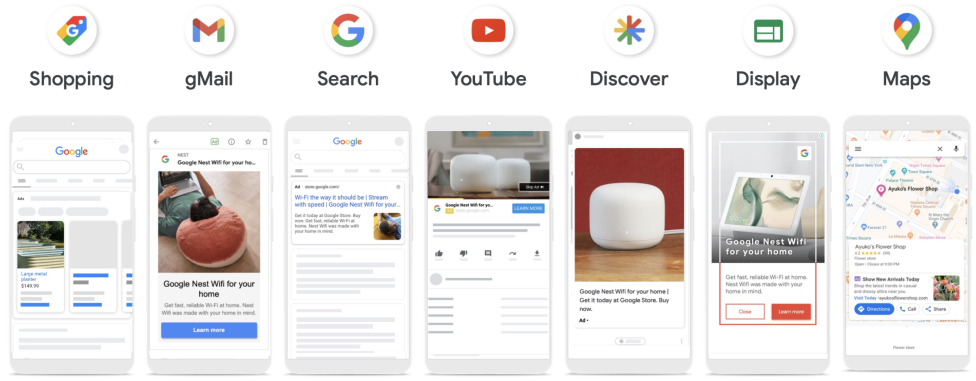
    Google Ads Performance Max campaigns are AI-powered tools designed to run a single advertising campaign across all Google platforms, including Search, Gmail, Maps, YouTube, Display Network, and Discover.

    After consulting with the client and collecting all the necessary initial data, we proceed to campaign setup. ITForce configures the core parameters, such as uploading assets and attributes to the campaign, defining the target audience by demographics and location, and adding audience signals. The AI processes this input, tests different ad variations, and automatically serves optimized ads across all Google placements. The system then analyzes and selects the most effective combinations to meet business objectives.

    Advertisers gain access to the full range of Google Ads capabilities with just one campaign. This ensures that the generated ads achieve the highest performance by reaching the maximum number of relevant users.

    Performance Max
    02

    Google Search

    Google Search

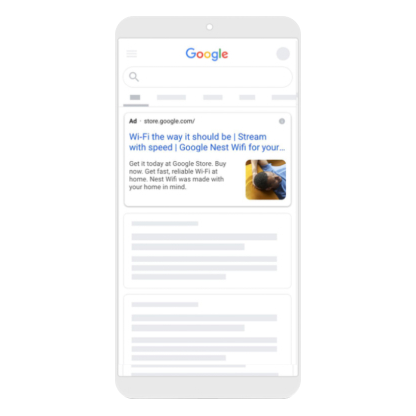
    Search ads on Google appear directly in the search results as a response to a user’s query. This type of contextual advertising is effective because it targets an audience already interested in purchasing a product or service. We perform in-depth keyword analysis to understand user intent better. When creating ads, we use only the keywords that precisely match user interests and motivate them to click through to the advertiser’s website.

    Google Search
    03

    Google Shopping

    Google Shopping

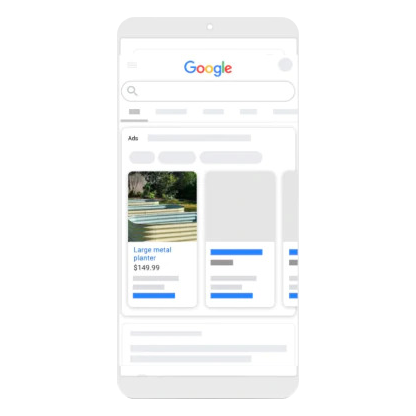
    Product advertising, or Google Shopping, uses card-style ads at the top of search results. Each visual card includes a product image and key specifications.

    Google Shopping ads help customers compare products from different sellers by price and other attributes, allowing them to choose the most suitable option.

    To launch a campaign on Google Shopping, we upload a product feed—a structured file that includes detailed information about each item in the catalog.

    This makes Google Shopping especially effective for online retailers and e-commerce businesses. It’s a powerful tool for driving sales growth.

    Google Shopping
    04

    YouTube

    YouTube

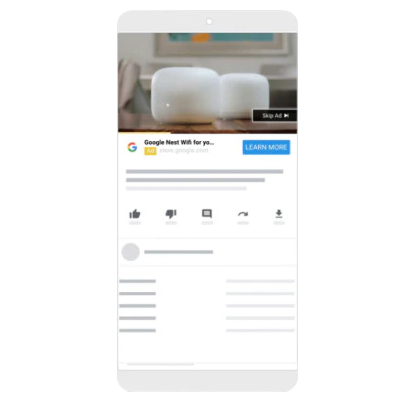
    YouTube Ads is an advertising platform that allows advertisers to show video ads to the YouTube audience.

    As part of the Google Ads system, YouTube Ads offers a variety of ad formats—from skippable video ads to static banners and semi-transparent overlays.

    Its integration with Google Ads provides advanced targeting tools to fine-tune campaigns. Advertisers can define their audience using precise parameters such as interests, age, gender, and other characteristics.

    The platform also delivers detailed analytics to evaluate the performance of each ad and the overall campaign.

    YouTube

    Case Studies

    phone скриншот клієнт
    тестова картинка квадрат
    fridgefix
    https://fridgefix.us/
    Refrigerator Repair and Service in Orange County, CA
    Google Ads for a Household Refrigerator Repair Service
    Conversions
    +1405%
    Cost per Conversion
    -92%
    CPA
    $1,71
    USA
    Google Ads for a Household Refrigerator Repair Service
    Increase the number of orders through contextual advertising. Setting up Google Ads on a website from scratch. Creation of relevant ads for the Local ads campaign
    Conversions
    +1405%
    Cost per Conversion
    -92%
    CPA
    $1,71

    Key Aspects of Effective Google Advertising

    01.Keyword Relevance

    Choosing the right keywords is the foundation of successful advertising. Your keywords must match user search queries and reflect the strengths of your value proposition. Using negative keywords helps prevent your ads from appearing for irrelevant searches.

    More details
    02.Ad Quality

    We develop compelling ads that effectively highlight the benefits of your offering. Each ad includes a strong call to action that encourages users to click. We test multiple ad variations to identify the most effective solutions.

    More details
    03.Landing Page Optimization

    Landing pages must be relevant, load quickly, and offer intuitive navigation so users can find answers to their queries and complete the desired action. We assist with optimizing landing pages for all devices according to Google’s guidelines and monitor the implementation process.

    More details
    04.Campaign Monitoring and Optimization

    We collect performance data, analyze campaign results, and refine Google Ads settings as needed to achieve optimal outcomes. We scale campaigns by adding remarketing, expanding ad placements, using ad extensions, and reallocating budgets toward the most effective campaigns. After the setup phase, we continue to manage and support your campaigns.

    More details

    What Google Ads is, and what "setting it up" actually means

    Google Ads is the platform that puts your business in front of an audience across Google Search, YouTube, Gmail, mobile apps and the Display Network. You pay per click or per conversion, not per impression.

    Setup is not "write an ad and press launch". It is building a working system: account structure, keyword research, negative keywords, ad copy, assets, accurate conversion tracking and a bidding strategy grounded in real data. This is the stage that determines your cost per click and cost per lead for months afterwards — fixing a bad launch costs more than doing it properly the first time.

    What follows is exactly what we build, in what order, and the state the account is in when we hand it over. For the month-to-month work on campaigns already running, see PPC management.

    Campaign types: what to build, and when

    Campaign type is the first decision, and everything else follows from it — account structure, keyword volume, creative requirements, even how long it takes to reach a stable result.

    Search campaigns

    The baseline type for demand that already exists. Setup covers intent-based keyword research, splitting into ad groups mapped to individual landing pages, responsive search ads with the critical headlines pinned, a full set of assets, and — crucially — negative keyword lists before launch, not after the first week of wasted spend.

    AI Max for Search, available since 2025, expands query matching beyond your keyword list. At launch we enable it selectively and only alongside a strict negative keyword set; without that it consumes budget on irrelevant queries.

    Google Shopping

    Usually the most profitable type for an online store, and the most technical: everything depends on the feed. Setup means connecting and verifying Merchant Center, working the feed (title, GTIN, availability, price, GPC categories), applying transformation rules, and splitting the catalogue by margin or turnover. A product with a poor title will not win the auction no matter what you bid. More on our Google Shopping and Performance Max service.

    Performance Max

    An automated campaign that distributes budget across Search, Shopping, YouTube, Display and Gmail on its own. It delivers, but only with a disciplined setup: strong asset groups, audience signals, and brand query exclusions — without those, PMax simply intercepts your own brand traffic and reports an excellent ROAS at the expense of your search campaigns.

    Since June 2026 PMax reports at channel level: spend and conversions are visible separately across Search, Shopping, YouTube, Display and Gmail. We configure that from day one so the campaign is never a black box.

    Demand Gen (YouTube, Shorts, Discover, Gmail)

    The format for demand that has not formed yet. Setup is built around creative and audience signals rather than keywords. It suits products that need to be demonstrated, or niches where search volume is simply too thin.

    Display Network

    The cheapest clicks and the highest risk of wasted budget. The critical part of setup is not the banners but the exclusions: mobile apps, games, sites with inflated click activity, content categories. Without them, Display delivers impressions with no value attached.

    Remarketing and dynamic remarketing

    Technically the most demanding block: it needs correct audiences in GA4 or Google Ads, the remarketing tag, and for eCommerce the product IDs passed through the dataLayer. We build the scenarios by depth of engagement: viewed a product, added to basket, began checkout, purchased.

    App campaigns for mobile apps

    Promoting apps across Google Play, AdMob, YouTube and Search. Setup starts with analytics rather than advertising: Firebase or a third-party MMP, in-app events, and those events passed into Google Ads. Without them the algorithm has nothing to learn from. Then come creative sets for each format and a strategy matched to the actual goal — installs, in-app action or target ROAS.

    What the setup service includes

    The sequence is fixed — each step depends on the one before it.

    1. Analysis and preparation

    • Brief: goals, margins, priority products or services, seasonality, geography.
    • Niche and competitor analysis: who already appears for your queries, with what offers and assets.
    • Audit of your existing account, if you have one — what to keep and what is cheaper to rebuild. We also offer this separately as a Google Ads campaign audit.
    • Landing page review: relevance to the queries, and technical blockers to conversion.

    2. Strategy and targets

    • Choosing campaign types against specific business goals.
    • We work through your economics together: cost of goods, margin, profitability, customer lifetime value. From those figures we establish what the business can pay for an enquiry and agree the KPIs the result will be measured against.
    • Budget allocation across campaigns and priorities.

    We deliberately do not produce media plans forecasting clicks and cost per lead: Google sets bids algorithmically, separately for each audience and conversion type, which makes that spreadsheet a guess rather than a plan. What we do instead is check your expectations against our own benchmarks by vertical, built across 2,000+ projects, and tell you before any contract whether they are realistic. Why working out the economics beats forecasting.

    3. The technical base: analytics and tracking

    • Google Tag Manager: container, triggers, variables — including advanced techniques such as element visibility triggers.
    • GA4: key events, the Google Ads link, conversion import.
    • Enhanced conversions — hashed first-party data that recovers conversions otherwise lost to cookie restrictions.
    • Consent Mode v2 — mandatory for traffic from the EU and UK; without it, conversions and audiences from those markets simply are not collected.
    • Call tracking, where the phone is your main enquiry channel.
    • Separating macro and micro conversions, so the algorithm learns from real enquiries rather than from clicks through to a messenger.

    Where analytics is needed beyond advertising, we deliver it as a standalone service: web analytics setup.

    4. Building the account

    • Intent-based keyword research, clustering, separating commercial from informational queries.
    • Structure: campaigns → ad groups → ads, on a one-group-one-landing-page logic.
    • Starting negative keyword lists, including sector-specific and noise terms (free, jobs, DIY, reviews).
    • Responsive search ads per group, with pinning where meaning depends on it.
    • Assets: sitelinks, callouts, structured snippets, prices, call and lead form extensions.
    • Geography, ad scheduling, device adjustments.
    • An opening bid strategy — manual or maximise clicks with a CPC cap — until conversion data accumulates.

    5. Launch, review and first data-led adjustments

    • Clearing ad review and resolving disapprovals.
    • Verifying tracking on live traffic with a real test conversion, not "it should work as configured".
    • Working the first days of the search terms report and extending negatives.
    • Moving to automated bidding once enough conversions have accumulated — see our notes on working with automated bidding strategies.

    The state your account is in when we hand it over

    This is an acceptance checklist. Use it to assess any agency, not only us.

    What should be in place Why it matters
    Account registered to your company, with admin rights on your side The account history stays with you if you change agency
    Conversions configured and verified on a real action Without this, optimisation is impossible and automated bidding is actively harmful
    Macro and micro conversions separated The algorithm learns from enquiries, not from messenger clicks
    Enhanced conversions enabled Recovers conversions otherwise lost to cookie restrictions
    GA4 and Google Ads linked, audiences flowing The basis for remarketing and for automated bidding signals
    Negative keyword lists populated before launch The most common cause of wasted spend in week one
    Location targeting set to Presence, not Presence or Interest Otherwise your ads reach people who are merely interested in the region
    Brand queries excluded in Performance Max Otherwise PMax intercepts brand traffic and inflates its own ROAS
    Merchant Center verified, feed free of errors (eCommerce) Products with feed errors do not enter the auction at all
    Looker Studio dashboard built on your KPIs You can see results yourself without asking an account manager

    What a bad setup actually costs

    Google Ads is designed so that anyone can launch a campaign — the interface suggests "recommended" settings at every step. The problem is that Google’s recommendations are optimised for spending budget, not for your cost per lead. Here is what we most often find in accounts that come to us for an audit.

    • Conversions missing or wrongly configured. The most expensive mistake of all. The classic version counts a view of the Contact page, or any form submission including a newsletter sign-up, as a conversion. The algorithm then optimises towards junk and diligently delivers more of it.
    • Automated bidding on an empty account. Maximise conversions with no historical data behaves like a random bid generator. Google’s own guidance is roughly 30 conversions in 30 days for Target CPA and around 50 for Target ROAS.
    • Broad match with no negatives. Budget flows to queries containing "free", "DIY", "jobs" and "second hand" — and to competitors you never intended to advertise.
    • Default location targeting. Presence or Interest shows your ads to people who merely looked up your city. For a local business that can be half the budget.
    • PMax layered over Search with no exclusions. The campaign takes the brand queries that were already yours and reports outstanding returns for doing so.
    • One ad group for every keyword. The ad is irrelevant to the query, Quality Score falls, cost per click rises — you pay more than your competitor for identical traffic.
    • A Merchant Center feed left as exported. Products with poor titles, missing GTINs or prices that disagree with the site never enter the auction.

    Individually each of these costs between 15% and 50% of the budget. Together they turn advertising into an expense with no return — which is precisely where the conclusion "Google Ads doesn’t work in our industry" comes from.

    How setup differs by business type

    The launch logic is the same; the technical work is not. The strategic differences between business models are covered on the PPC management page — what follows is only what changes the setup process itself.

    • Online store. The centre of gravity moves to Merchant Center and the feed: categorisation, transformation rules, splitting the catalogue by priority. Transaction value and product IDs must be passed through for dynamic remarketing. See eCommerce case studies.
    • Services driven by phone calls. The primary conversion is a call, not a form. That needs call tracking with number substitution and calls passed in as conversions — otherwise half the result never reaches the optimisation.
    • Local business. Radius targeting instead of city selection, a Business Profile link, location assets, and separate tracking of calls and direction requests. See local business case studies.
    • B2B with a long sales cycle. A web enquiry is only the top of the funnel. We set up offline conversion import from your CRM so Google optimises towards qualified leads and closed deals rather than raw form volume. See B2B case studies.
    • Mobile app. Firebase or an MMP, in-app events passed into Google Ads, and creative sets for each format.

    How long setup takes

    • Day 1. Brief and access to the site, analytics and advertising account.
    • Days 1–2. Niche and competitor analysis, audit of any existing account, landing page review.
    • Days 2–3. Keywords, campaign structure and ad copy — sent to you for sign-off.
    • Days 3–4. Analytics and conversion tracking setup, verified on live traffic.
    • Days 4–5. Campaign build, launch, ad review. First impressions on the day the ads clear review.
    • Weeks 1–4. Search terms work, extending negatives, first ad tests, transition to automated bidding. This is already included in the setup fee.

    Timelines can shift if access, product feed or landing pages are not ready on your side — which is why we send the required list immediately after the brief.

    Get a quote

    Your request has been sent.

      Send